
Invite a helper or staff member
For: Owners
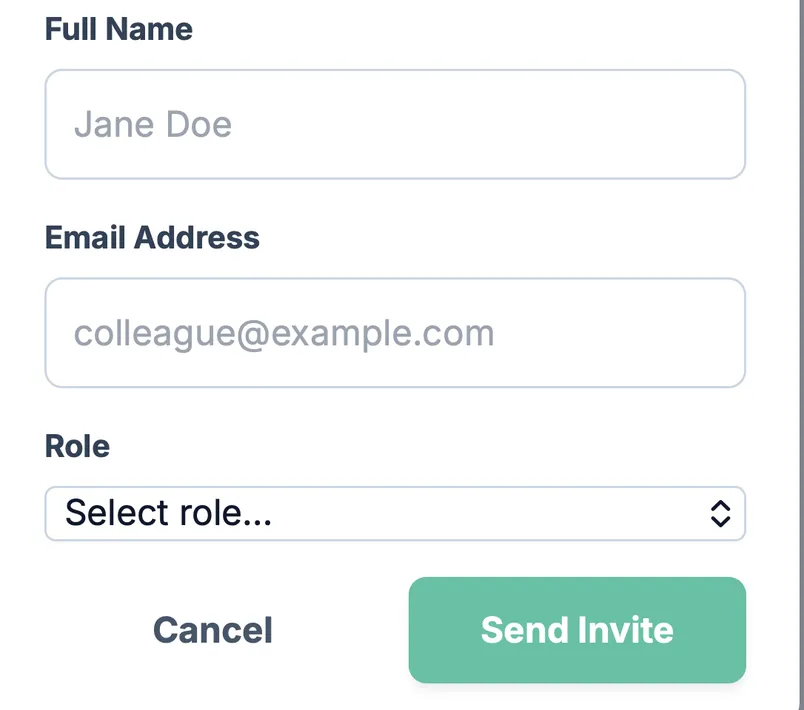
Open Staff, tap Invite New Staff, and enter the person's name, email and role. They get an email with a link, and each person gets their own sign-in.
- Open Staff.
- Tap Invite New Staff.
- Fill in Full Name and Email Address, and choose a Role.
- Tap Send Invite.
What happens next
Section titled “What happens next”The invitation appears under Invites Inbox as pending. When the person opens the link and creates their account, they move to your Staff Roster.
Changed your mind? You can take back an invitation that hasn’t been accepted, from the Invites Inbox.
Choosing a role
Section titled “Choosing a role”The role decides what the person can do. Give General Manager only to someone you trust with orders and money. See Roles: who can do what.
Didn't find your answer? Email hello@omahafoodie.com. A person in Omaha writes back.