
Add a pickup spot: home kitchen or market booth
For: Makers
A pickup spot is where customers collect their orders. Add one on the Pickup screen, say whether it's your home or a market booth, give it a label customers will see, and add at least one pickup window.
- Open Pickup and tap Add pickup spot.
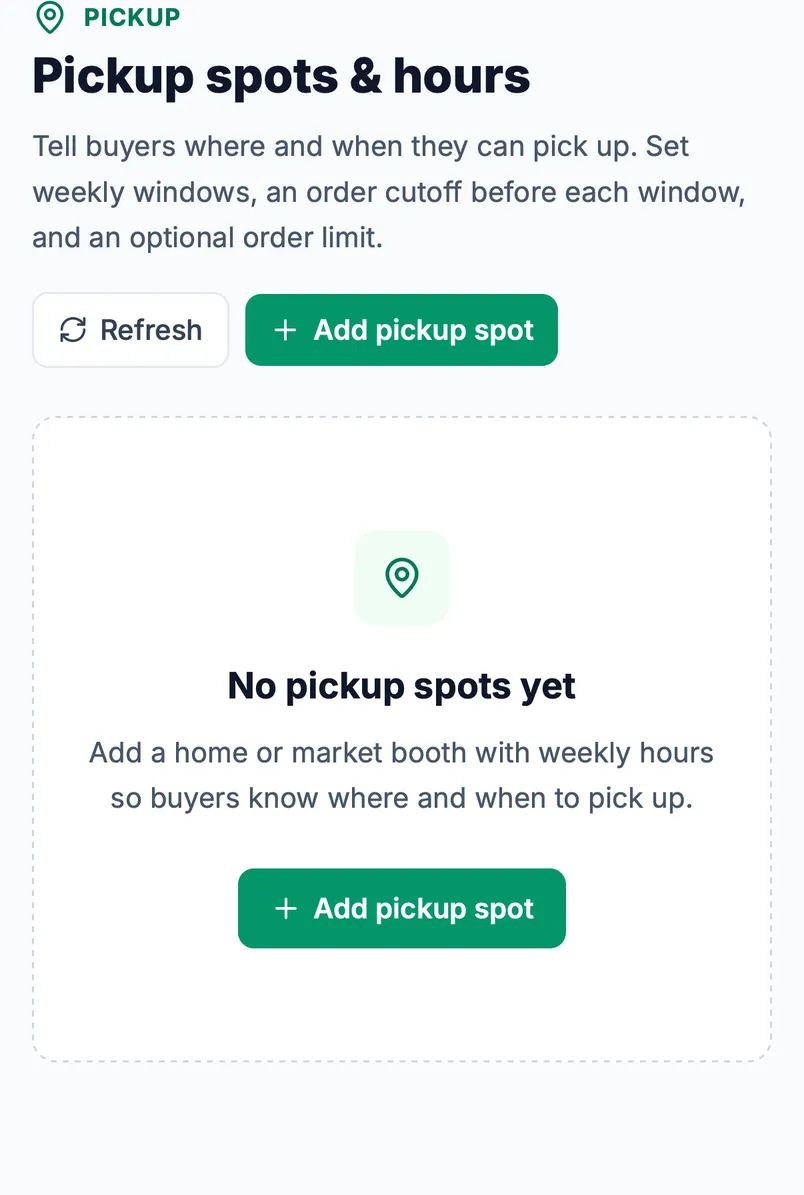
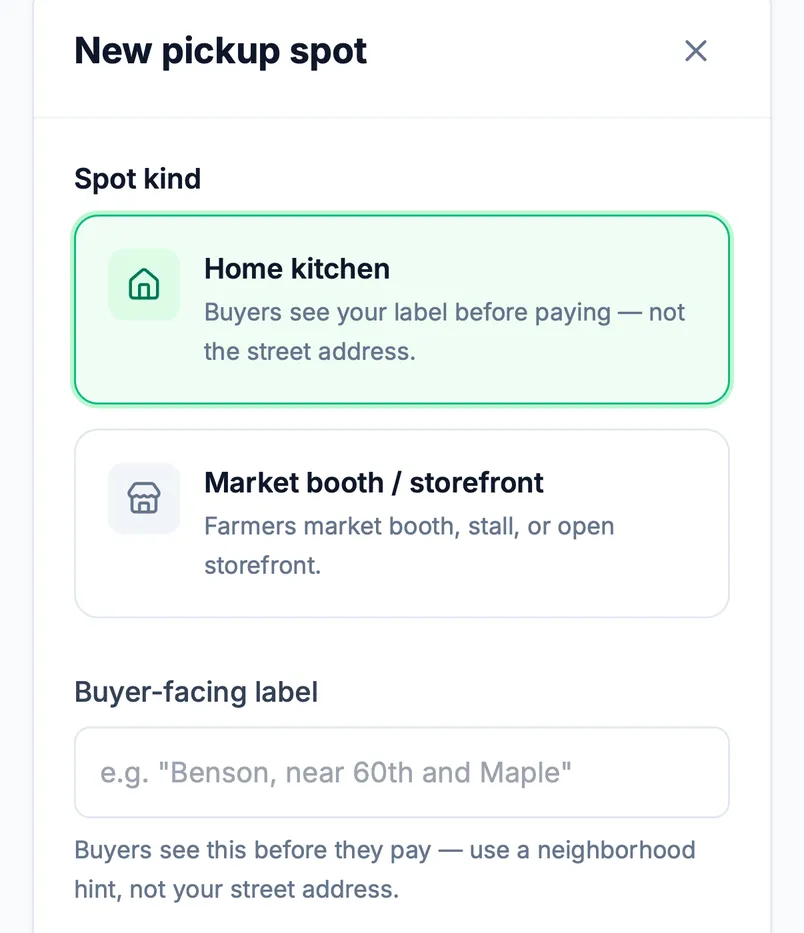
- Choose the Spot kind:
- Home kitchen: customers see your label before paying, not your street address.
- Market booth / storefront: a farmers market booth, stall or open storefront. Customers see the address before paying.
- Type the Buyer-facing label. For a home, use a neighborhood hint, such as “Benson, near 60th and Maple.” For a booth, use the market’s name and your stall.
- Fill in the Private pickup address. This is the real address.
- Add Home pickup instructions if they help, such as “side door, ring the bell.” Customers see these after they pay.
- Add at least one weekly pickup window. See Pickup windows, order-by cutoffs and order limits.
- Tap Create spot.
More than one spot
Section titled “More than one spot”You can have several, for example your home on weekdays and your market booth on Saturdays. Each has its own windows.
Who can do this
Section titled “Who can do this”An Owner or a General Manager.
Didn't find your answer? Email hello@omahafoodie.com. A person in Omaha writes back.