
Use your Wallet and withdraw
For: Makers
The Wallet shows what you can withdraw now, what's still on hold, and what you've already sent to your bank. To get paid, choose the available orders and tap Withdraw selected.
Reading the Wallet
Section titled “Reading the Wallet”| Box | What it shows |
|---|---|
| Available to withdraw | Earnings past the hold. You can send these to your bank now |
| On hold | Earnings from orders picked up in the last 48 hours |
| Withdrawn | What you’ve already sent to your bank |
| Selected | The total of the orders you’ve ticked |
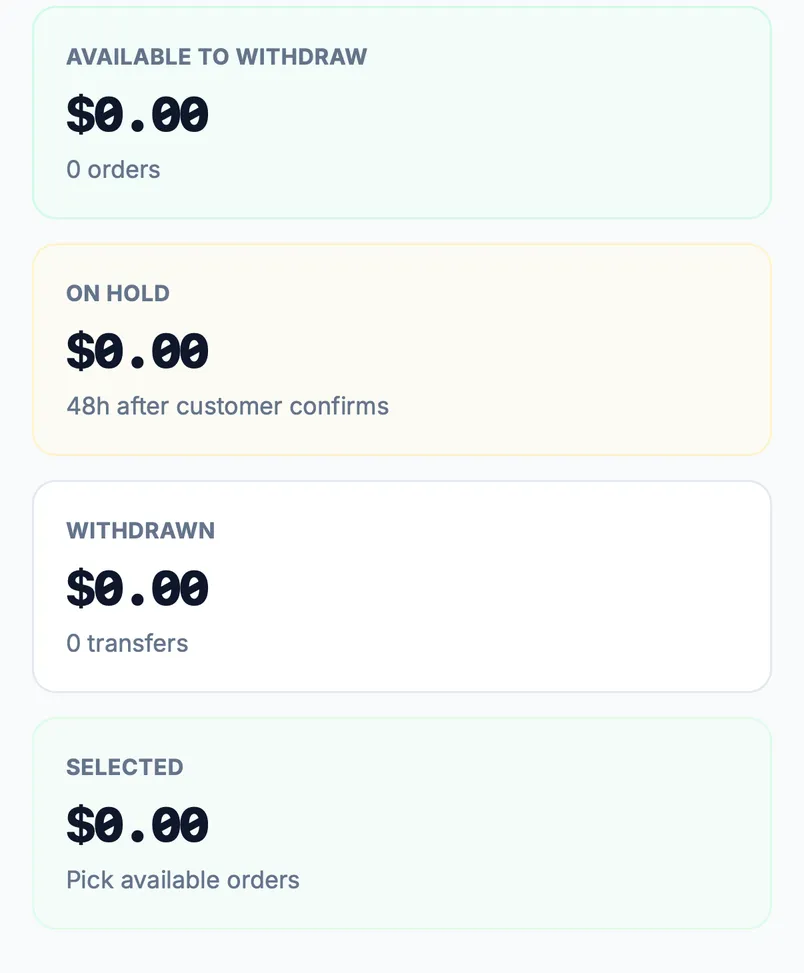
Below the boxes, By order lists each order and Withdrawals lists each transfer you’ve made.
Withdraw
Section titled “Withdraw”- Open Wallet.
- Tick the orders you want, or tap Select all available.
- Tap Withdraw selected.
You can withdraw up to 50 orders at a time. Stripe then deposits the money in your bank on its usual schedule.
Who can do this
Section titled “Who can do this”An Owner or a General Manager.
An order isn’t in the Wallet
Section titled “An order isn’t in the Wallet”An order appears in the Wallet once it’s been picked up. Before that, it’s on the Orders screen.
Didn't find your answer? Email hello@omahafoodie.com. A person in Omaha writes back.